Ver 3.2.1 Supplements
The issue which it crashes to use 'Export selected texts as txt file' has been fixed.
Ver 3.2.1の新機能
'選択した文章をテキストファイルとして保存'を使用した際にアプリがクラッシュする問題を解消しました。
Saturday, October 24, 2015
Smart Text Converter Ver3.2 Released / リリース
Smart Text Converter Ver3.2 has been released.
What's New in Version 3.2
Open with App Store(iPhone) / Check iTunes Preview(PC)
Smart Text Converter Ver3.2 がリリースされました。
Ver 3.2の新機能
アプリストアで開く(iPhone) / iTunes Previewで見る(PC)
What's New in Version 3.2
Open with App Store(iPhone) / Check iTunes Preview(PC)
Smart Text Converter Ver3.2 がリリースされました。
Ver 3.2の新機能
アプリストアで開く(iPhone) / iTunes Previewで見る(PC)
Saturday, October 17, 2015
Smart Text Converter Ver3.2 will be Released
Ver 3.2 Supplements
Now, this app works correctly on iOS 8.1 or later.
However, errors of displaying remain.
・Features
・Main Menu
'Get your current location' will be not shown if there is no text.
If there is no text, 'Insert' pastes a text which is inserting beginning and inserting ending to TextView.
Default value of 'Select' has been changed to '1'. Now, selecting text has been more smarter.
Background can be shown when it shows 'Replace'.
・Settings
It can scroll to the top by tapping on the status bar.
・ClipBoard
Actions which cannot perform have not been shown if there is no selected text.
・Library
Finding Text is enabled. It can find a specified text from the title of the file.
Actions which cannot perform have not been shown if there is no selected text.
'Test All String Encodings' is enabled. Please check 'Test String Encoding'.
It will never show directories.
・Expert Settings
The method of showing 'Expert Settings' has been changed.
Behavior of scrolling has been changed.
・Others
Now, users can decide to present 'Library' when a text file is opened from another application. Please check 'Expert Settings' of 'Present Library'.
・Bug Fixes
・Custom Theme
The issue which it does not scroll correctly has been fixed.
・ClipBoard
The issue which this app crashes by tapping cursor button in a particular case has been fixed.
・Library
The issue which it crashes if it fails to import a file from iCloudDrive has been fixed.
・Others
These issues have been fixed.
The size of the text does not change in increments of 0.5.
'Library' is not presented after a text file is opened from another application.


Thursday, October 15, 2015
Smart Text Converter Ver3.1 Released / リリース
Smart Text Converter Ver3.1 has been released.
What's New in Version 3.1
Open with App Store(iPhone) / Check iTunes Preview(PC)
Smart Text Converter Ver3.1 がリリースされました。
Ver 3.1の新機能
アプリストアで開く(iPhone) / iTunes Previewで見る(PC)
What's New in Version 3.1
Open with App Store(iPhone) / Check iTunes Preview(PC)
Smart Text Converter Ver3.1 がリリースされました。
Ver 3.1の新機能
アプリストアで開く(iPhone) / iTunes Previewで見る(PC)
Tuesday, September 29, 2015
Smart Text Converter Ver3.1 will be Released
Ver 3.1 Supplements
・Features
・Main Menu
Location Service is enabled. Please check 'Get your current location'.
'Replace' button has been merge into 'Others' button.
'ClipBoard','Save Text' and 'Settings' button has been moved in bottom of the view. Textview can show more texts.
All of buttons of placement has been changed. It looks smarter.
・Settings
Users can decide to overwrite file or not. If Overwrite is turned off, the file is renamed.
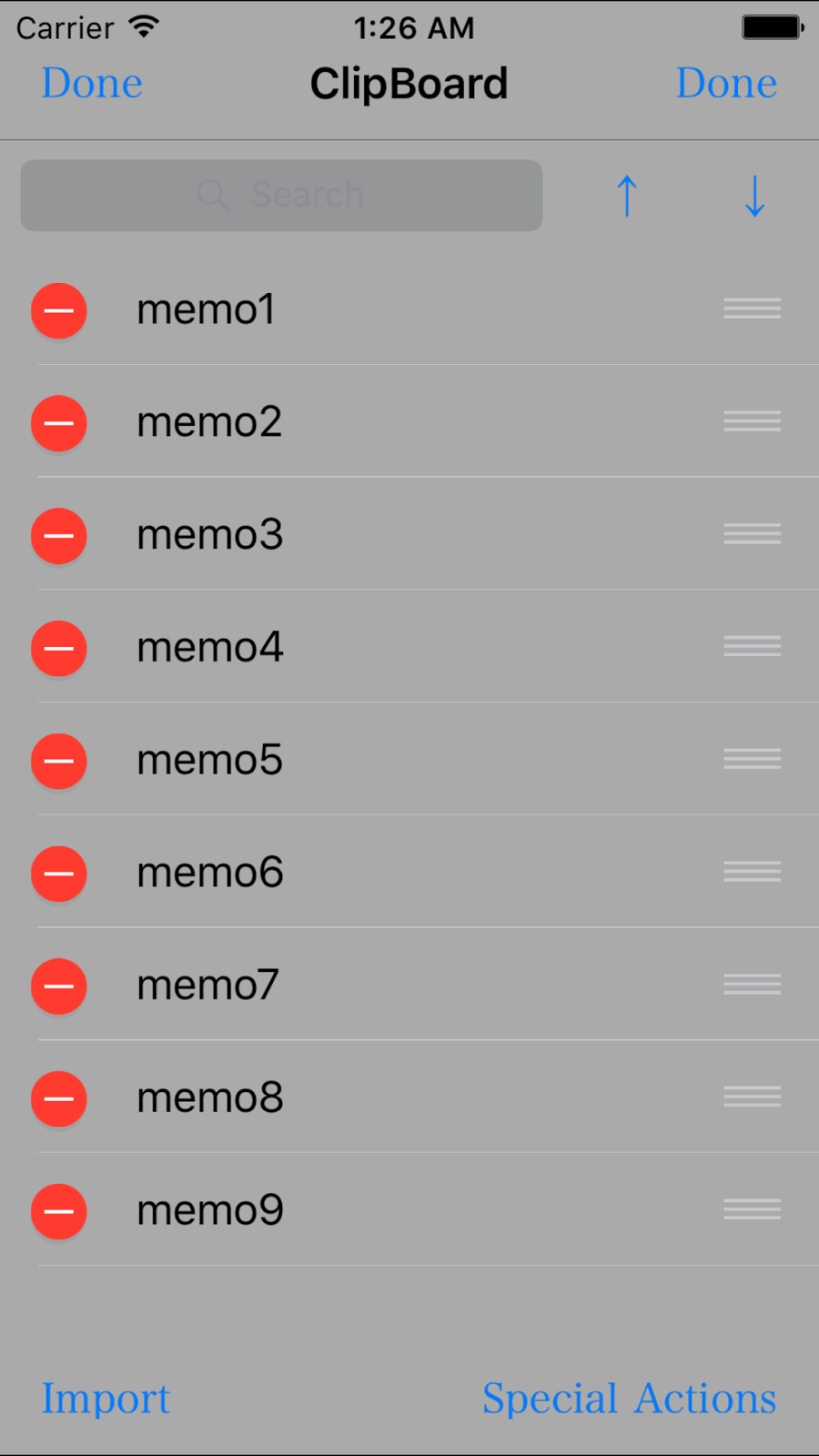
・ClipBoard
It can move saved texts of clipboard.
'Sort by name' is enabled.
'Export all as txt file' is enabled.
'Export selected texts as txt file' is enabled.
'Delete selected texts'. is enabled.
These four new systems and 'Delete All' has been merged into 'Special Actions' button.
・Details
It can open the text in other services. Please check 'Open in'.
If the text is shown via Library, more features are enabled. Please check 'Export to ...'.
・Library
'Delete all' is enabled.
'Delete selected files' is enabled.
'Delete selected texts'. is enabled.
These two new systems, 'Change String Encoding', 'Import all txt files' and 'Import selected files' has been merged into 'Special Actions' button.
・Others
Now, other applications can send this application text files.
・Bug Fixes
・Details
Fixed issues which a text is not displayed correctly.




Smart Text Converter Ver3.0.1 Released / リリース
Smart Text Converter Ver3.0.1 has been released.
What's New in Version 3.0.1
Open with App Store(iPhone) / Check iTunes Preview(PC)
Smart Text Converter Ver3.0.1 がリリースされました。
Ver 3.0.1の新機能
アプリストアで開く(iPhone) / iTunes Previewで見る(PC)
What's New in Version 3.0.1
Open with App Store(iPhone) / Check iTunes Preview(PC)
Smart Text Converter Ver3.0.1 がリリースされました。
Ver 3.0.1の新機能
アプリストアで開く(iPhone) / iTunes Previewで見る(PC)
Saturday, September 19, 2015
Smart Text Converter Ver3.0.1 will be Released / リリース予定
Ver 3.0.1 Supplements
Fixed issues of the setting of ' "/" is replaced '
Improve the usability of cursor keys.
Ver 3.0.1の新機能
'/'の置き換え設定に生じていた不具合を解消しました。
矢印キーの機能を改善しました。
Smart Text Converter Ver3.0 Released / リリース
Smart Text Converter Ver3.0 has been released.
What's New in Version 3.0
Open with App Store(iPhone) / Check iTunes Preview(PC)
Smart Text Converter Ver3.0 がリリースされました。
Ver 3.0の新機能
アプリストアで開く(iPhone) / iTunes Previewで見る(PC)
What's New in Version 3.0
Open with App Store(iPhone) / Check iTunes Preview(PC)
Smart Text Converter Ver3.0 がリリースされました。
Ver 3.0の新機能
アプリストアで開く(iPhone) / iTunes Previewで見る(PC)
Sunday, September 13, 2015
Smart Text Converter Ver3.0 will be Released
Ver 3.0 Supplements
Recommend using on iOS9.
If it is iOS8, there is issues of displaying errors.
・Features
・Main Menu
'Replace' is enabled. Please check 'Replace'.
'Undo' and 'Redo' button has been added. Please check 'Undo' and 'Redo'.
Behavior of 'Paste' is changed. The behavior becomes the same original paste.
・Settings
It can be changed appending filename or not. Please check 'Append File Name'.
It can be changed importing duplicate files or not. Please check 'Import Duplicate File'.
・Library
Importing from iCloudDrive is enabled.
Usage of 'Import All' has been changed. Please check 'Import All'.
Error show when importing is failed.
・Others
New theme has been added.
In 'Darkness theme', textfield is visible.
Step of text-size Stepper has been changed to 0.5.
・Bug Fixes
・Settings
Fixed the issue which settings is not saved.


Friday, September 11, 2015
Smart Text Converter Ver2.6.2 Released / リリース
Smart Text Converter Ver2.6.2 has been released.
What's New in Version 2.6.2
Open with App Store(iPhone) / Check iTunes Preview(PC)
Smart Text Converter Ver2.6.2 がリリースされました。
Ver 2.6.2の新機能
アプリストアで開く(iPhone) / iTunes Previewで見る(PC)
What's New in Version 2.6.2
Open with App Store(iPhone) / Check iTunes Preview(PC)
Smart Text Converter Ver2.6.2 がリリースされました。
Ver 2.6.2の新機能
アプリストアで開く(iPhone) / iTunes Previewで見る(PC)
Subscribe to:
Posts (Atom)